Add a PDF
Put a scan in the input folder and choose a page range.
Turn scanned books and PDFs into text you can actually trust. Run OCR locally, compare every page with the original, review AI-assisted corrections, and export a clean PDF.
A complete, auditable workflow
Put a scan in the input folder and choose a page range.
Start with marker or compare several engines on the same pages.
Check every proposed correction against the original scan.
Keep the Markdown or typeset a clean, searchable PDF.
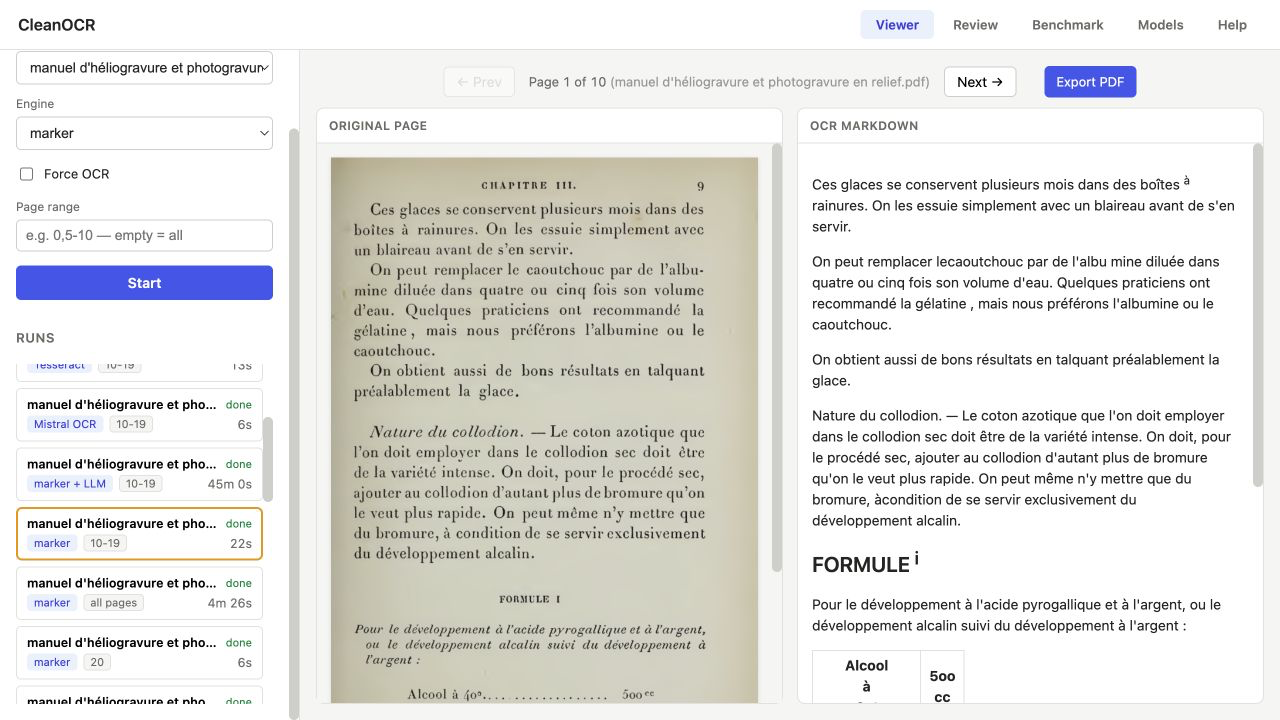
Viewer
OCR output can look plausible while quietly dropping a line, merging a formula, or misreading an old-style digit. CleanOCR keeps the scan beside the rendered Markdown so you can judge the text against what is actually on the page.
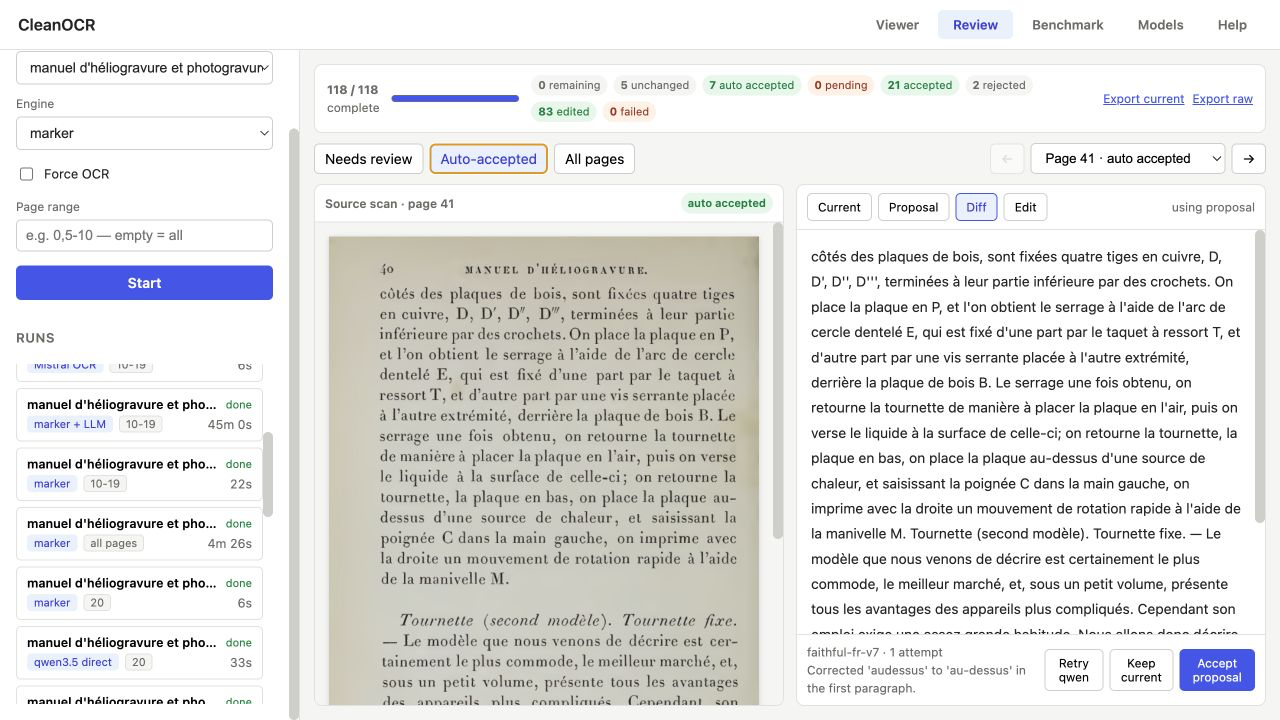
Review
A local vision model checks one page at a time against its scan. See the current text, the proposal, and a word-level diff; then accept it, keep the original, edit it yourself, or ask for another pass.
Read the original page and rendered OCR side by side instead of judging extracted text in isolation.
Accept, reject, edit, or retry one page at a time. Close the app and continue later without losing review state.
Cleanups live beside the original output, so you can audit changes or export the untouched result whenever you need it.
CleanOCR runs on your computer. Marker and optional Ollama models stay local, and the app has no accounts or telemetry. The only exception is Mistral OCR: it is clearly labelled, optional, and sends pages to Mistral only when you select it.
Models & benchmark
Run the same pages through different engines, line their output up, and highlight the differences. Then measure a full run against a reference transcription—or another run—with character error rate, word error rate, and similarity.
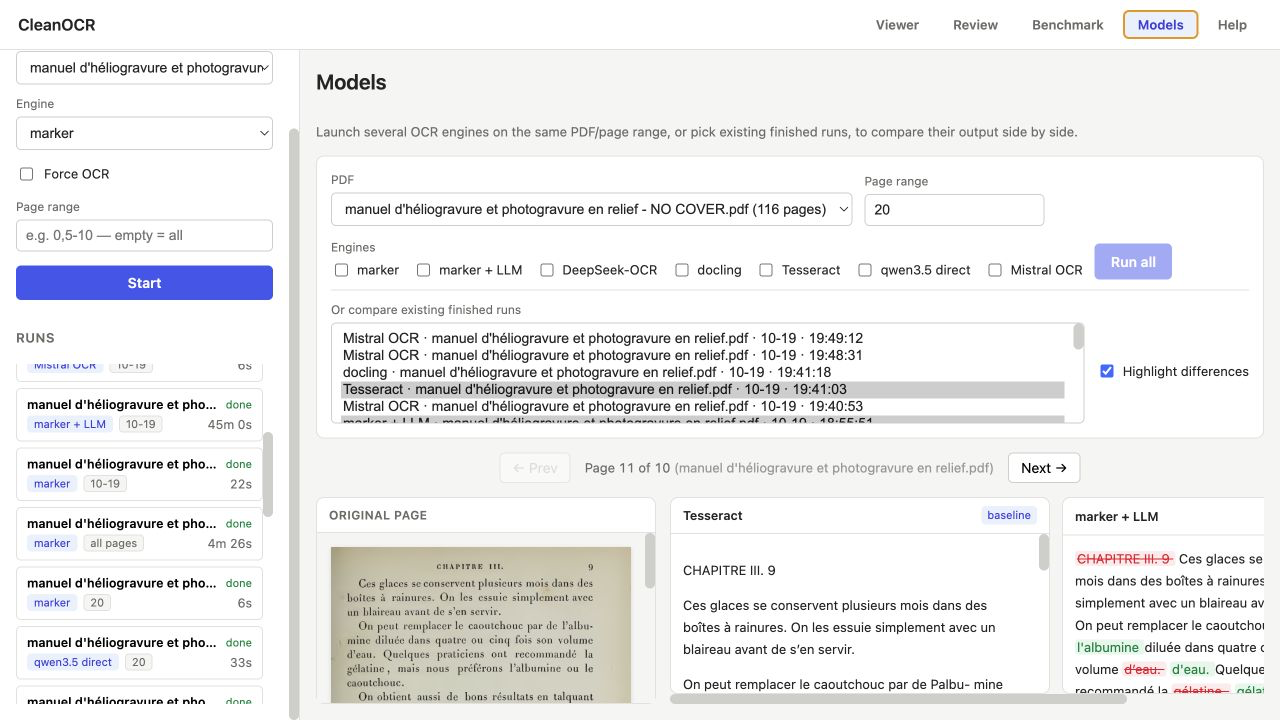
Compare a run with a transcription or another engine using CER, WER, similarity, and an inline word diff.
Inputs, Markdown, images, logs, review states, and exports stay in ordinary folders inside the project.
Export justified text with hyphenation, tables, inline images, page numbers, and a heading-based outline.
Install CleanOCR
Download the project, run the installer for your computer, then open the included 1890 French manual. A short marker run shows the whole workflow before you commit hours to a full book.
Apple Silicon uses the GPU automatically.
./install.sh
./start.shNVIDIA GPU when available, otherwise CPU.
powershell -ExecutionPolicy Bypass \
-File install.ps1Disk space for the environment and marker models.
Ollama and a vision model for AI-assisted review.
RAM or VRAM recommended for the default qwen3.5:27b model.
The installer names every optional download and its size before it starts. Linux users can follow the manual installation in the README.
Questions, answered
CleanOCR is a practical, local tool—not a hosted OCR service. Here are the tradeoffs to know up front.
No by default. CleanOCR, marker, the review workflow, and optional Ollama models run on your machine. Only the optional Mistral OCR engine sends page images to Mistral when you configure and select it.
No. CPU processing works, but a full book can be slow. Marker uses Apple Silicon GPUs on macOS and an NVIDIA GPU on Windows when one is available, so testing a short page range first is a good idea.
No. The OCR engines can handle other material, but the correction prompts and running-header detection were tuned on the included 1890 French printing manual. Review auto-accepted pages carefully on a different kind of book.
Small, text-only fixes may be auto-accepted, but they remain visible and auditable. Larger proposals wait for you, and the original OCR output is never modified.
There are guided installers for macOS and Windows. Linux also works through the manual installation described in the README.
Each run produces Markdown and extracted images. You can also export a clean A4 PDF; if a reviewed cleanup exists, the PDF uses that text, while the raw OCR remains available.
CleanOCR
Local OCR for old books, difficult pages, and people who want to check the result.
MIT licensed · macOS, Windows & Linux · No account required